麒麟桌面系统【安装openclaw】
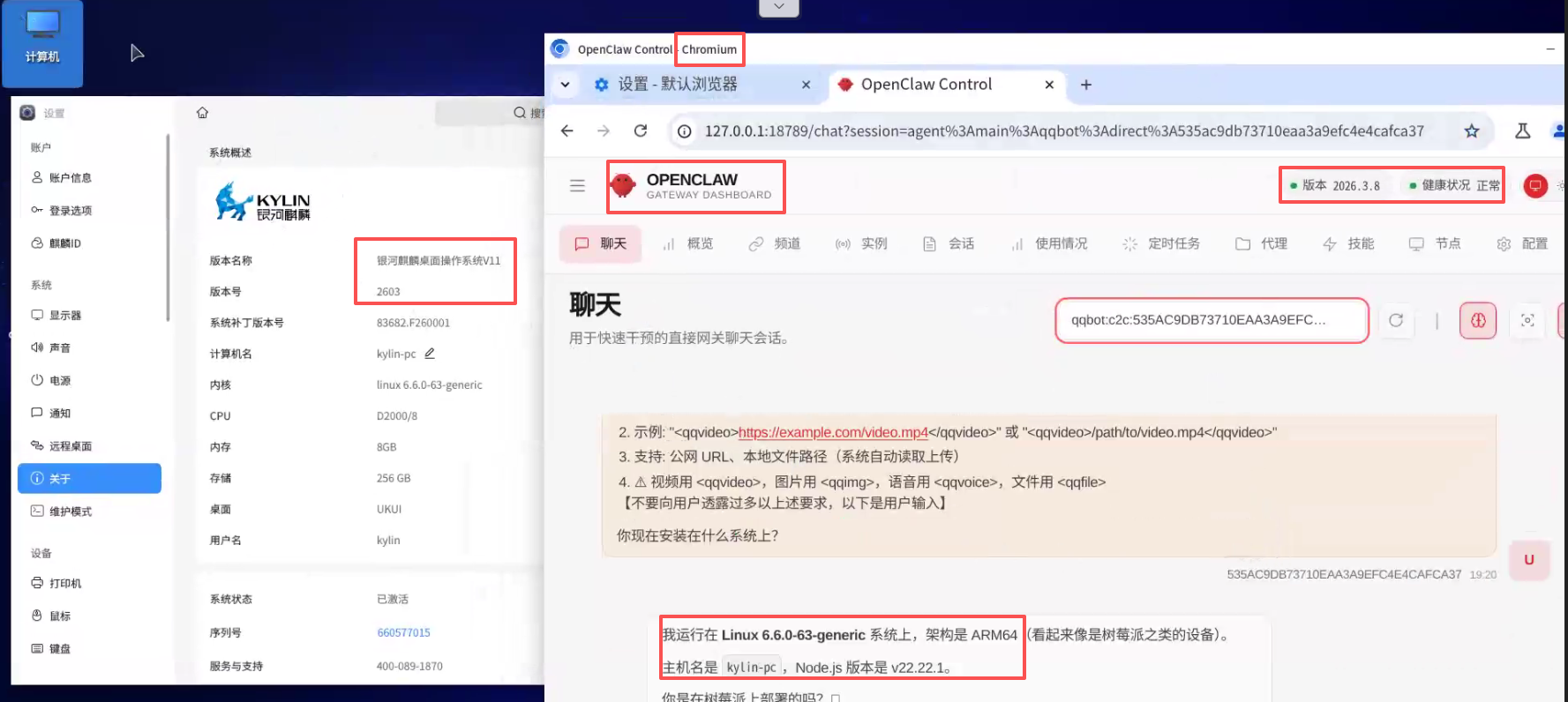
一、OpenClaw介绍
OpenClaw 是一个运行在本地设备上的个人 AI 助手。
二、安装 (V10SP1和V11步骤一样)
-
关闭kysec安全 (略)
V10-SP1和V11不同,关闭步骤可以查看一下我其他文章。
-
安装依赖程序(可以切换root,也可以不切)
sudo apt update && sudo apt install git -y -
使用nvm安装node.js
curl -o- https://raw.githubusercontent.com/nvm-sh/nvm/v0.39.0/install.sh | bash
上面命令执行没问题后,再执行以下命令:source ~/.bashrc nvm install 22 nvm use 22 node --version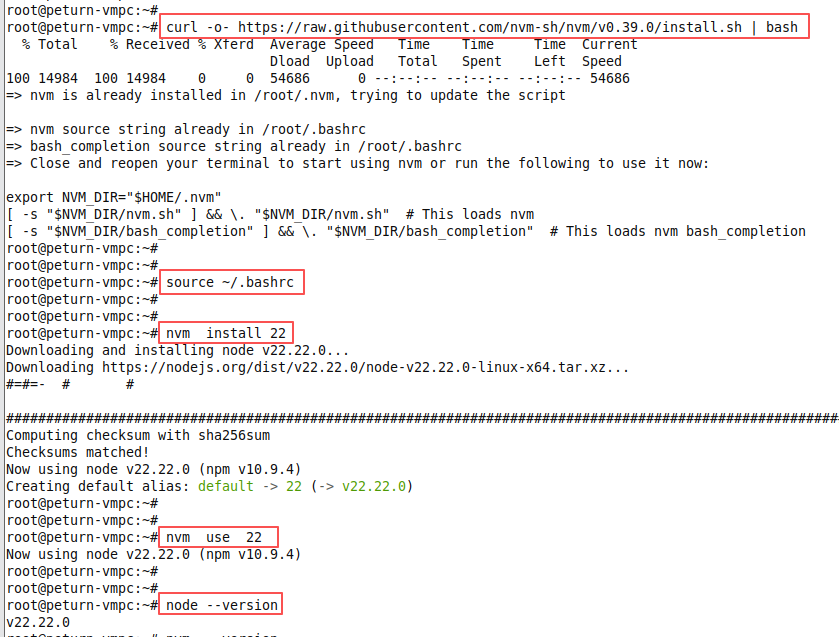
-
安装pnpm
npm  install  -g  pnpm
pnpm  setup
source  ~/.bashrc
# 配置淘宝镜像源
pnpm config set registry https://registry.npmmirror.com
pnpm config set @npm:registry https://registry.npmmirror.com
# 验证配置
pnpm config get registry  # 输出 https://registry.npmmirror.com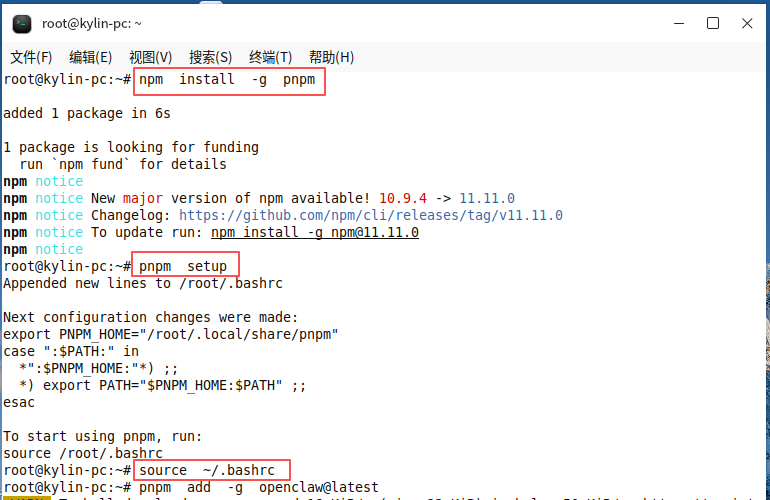
-
使用 pnpm 全局安装openclaw
pnpm  add  -g  openclaw@latest
openclaw  --version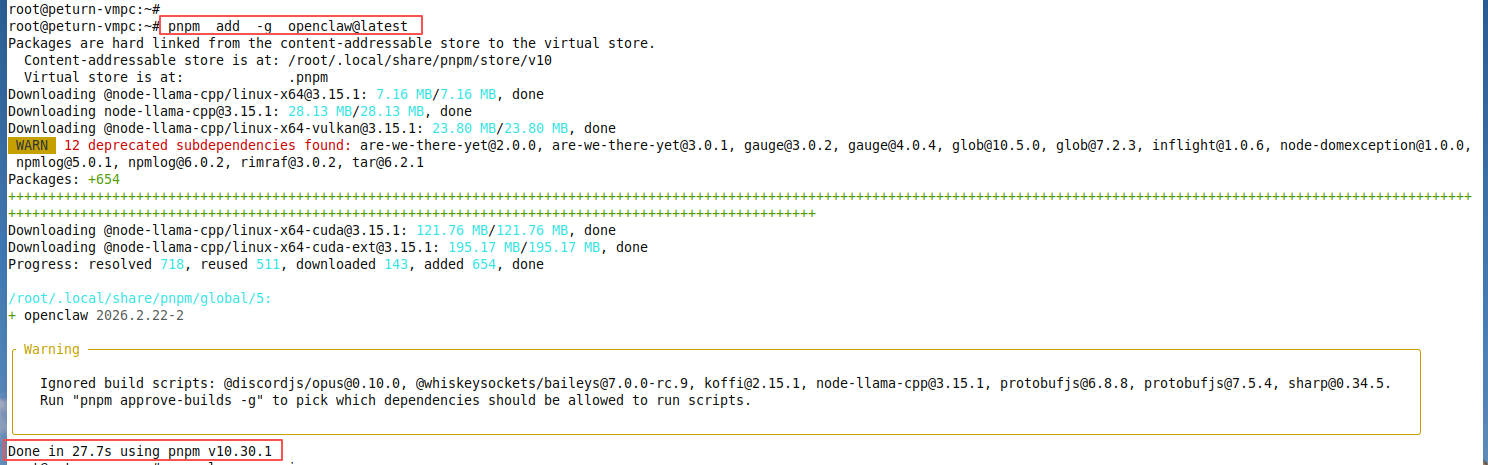

如上图所示,openclaw已经安装完成。
三、初始化及配置openclaw
-
执行以下命令配置工作目录(可以省略)
openclaw setup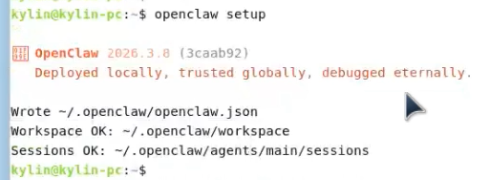
-
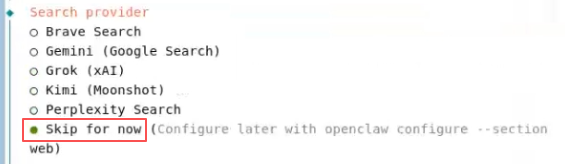
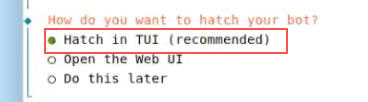
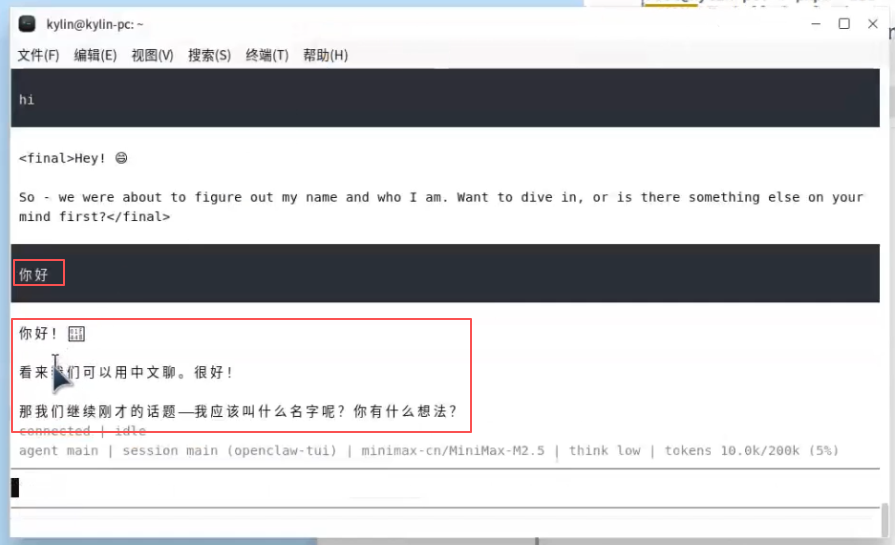
执行以下命令进行导航式配置:
openclaw onboard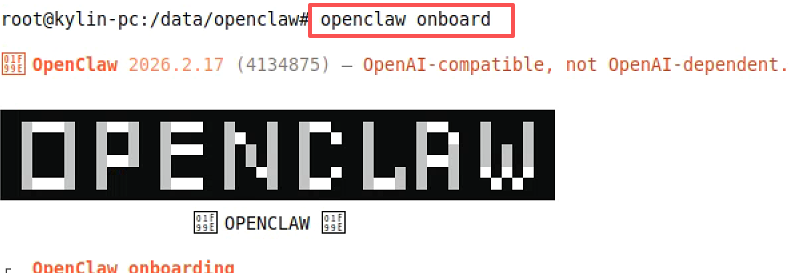


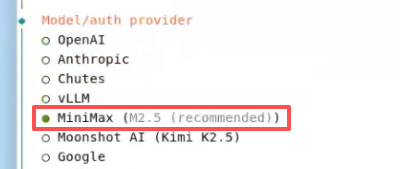
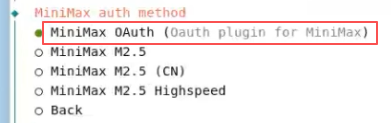
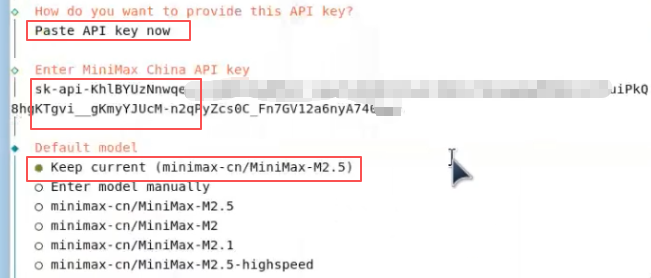
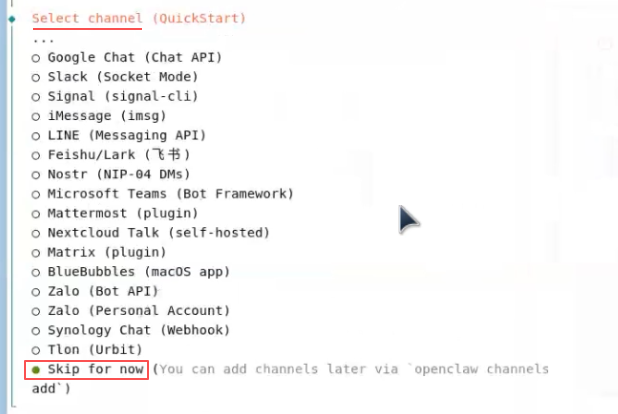
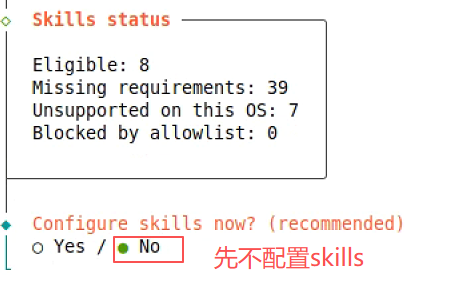
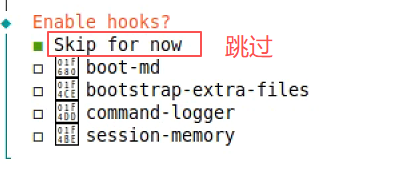
-
配置QQ机器人
- 浏览器打开
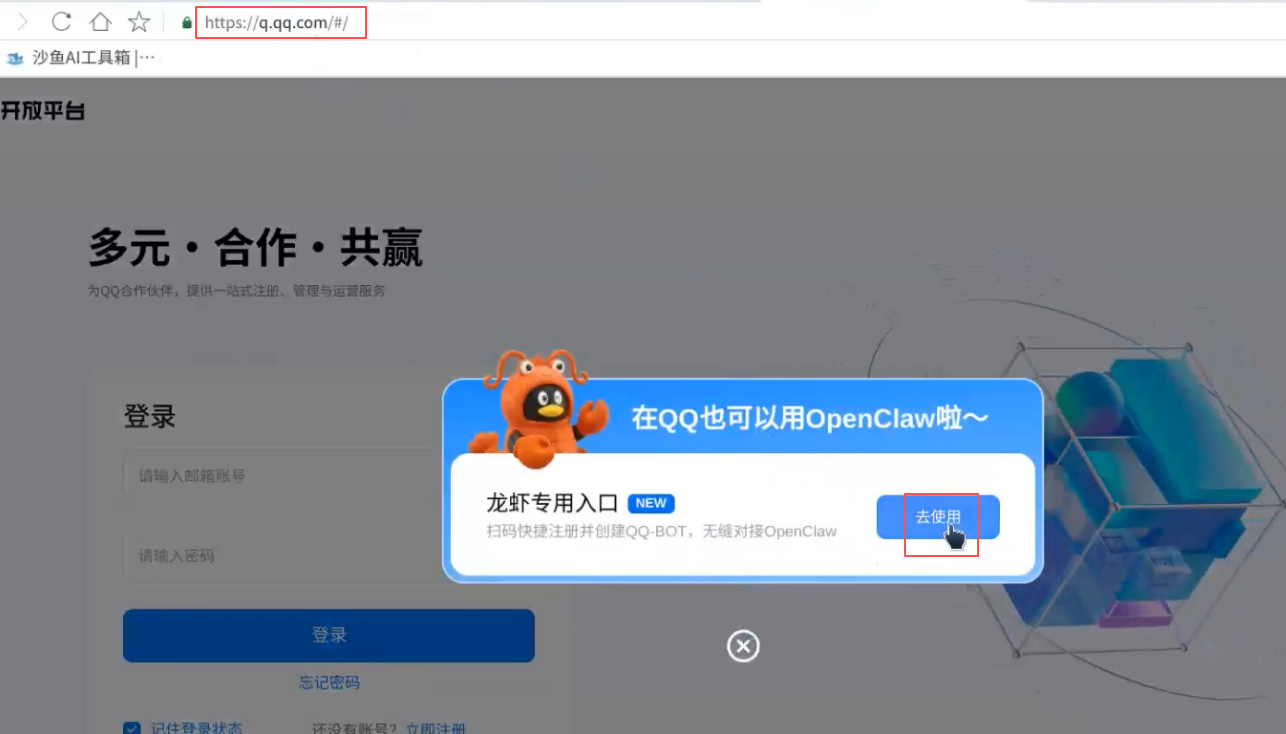
- 用qq扫码登录
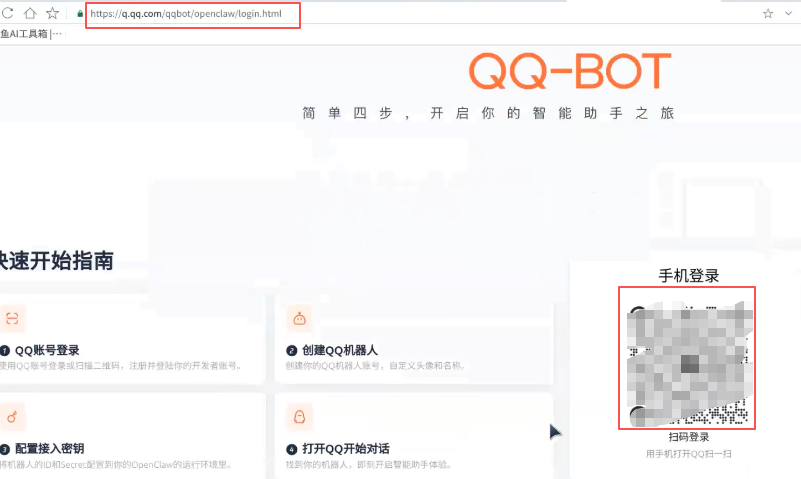
- 点创建机器人
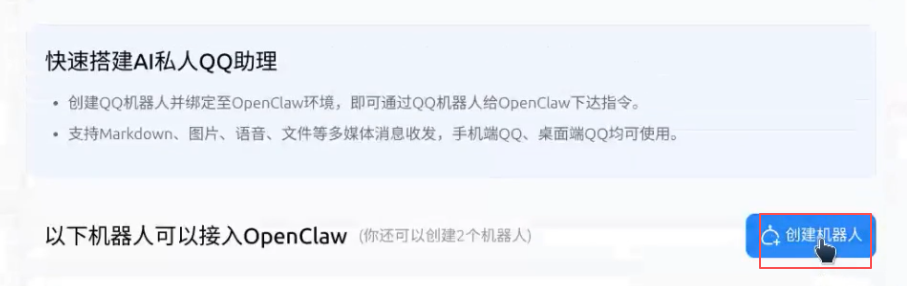
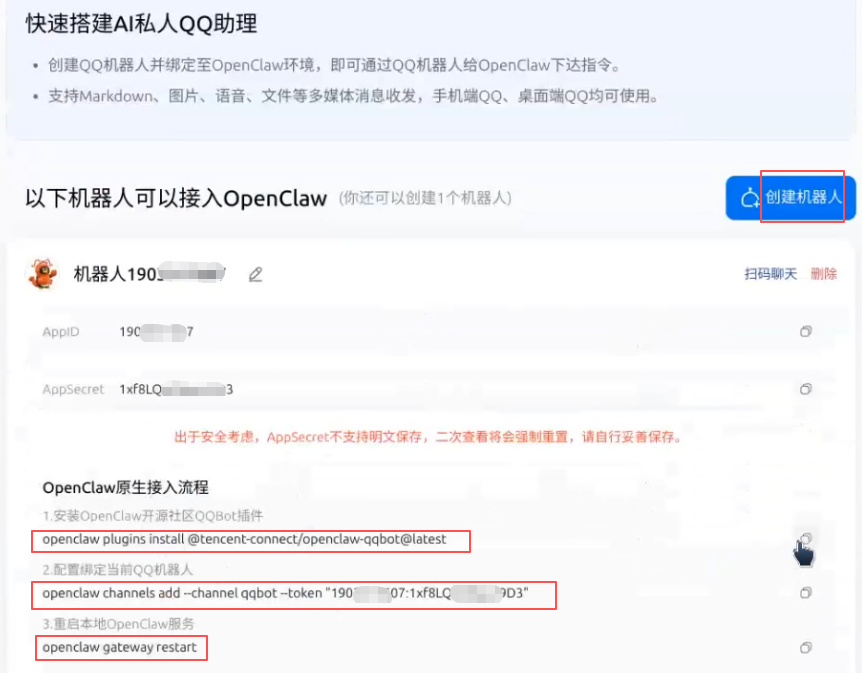
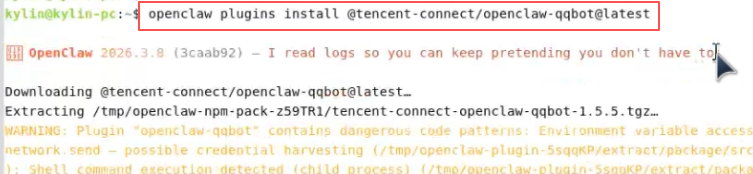
- 把这三条命令,复制到终端去执行
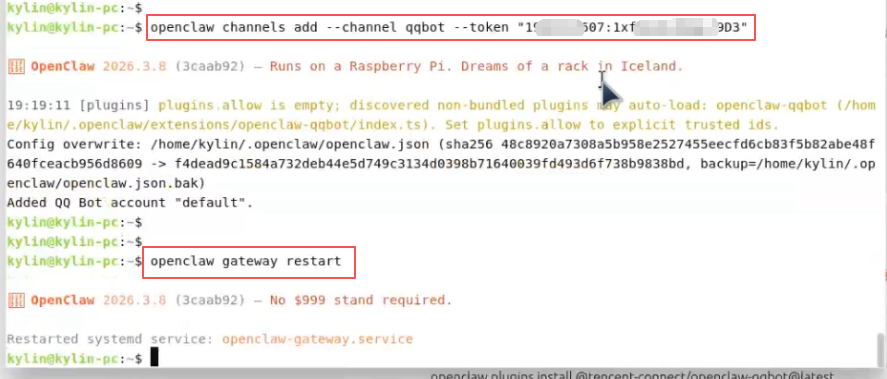
-打开QQ就能看到小龙虾机器人了
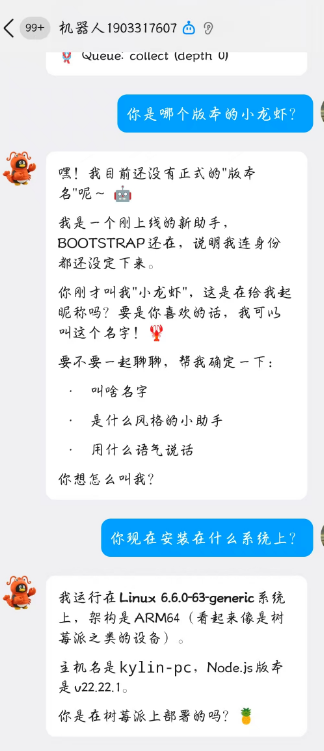
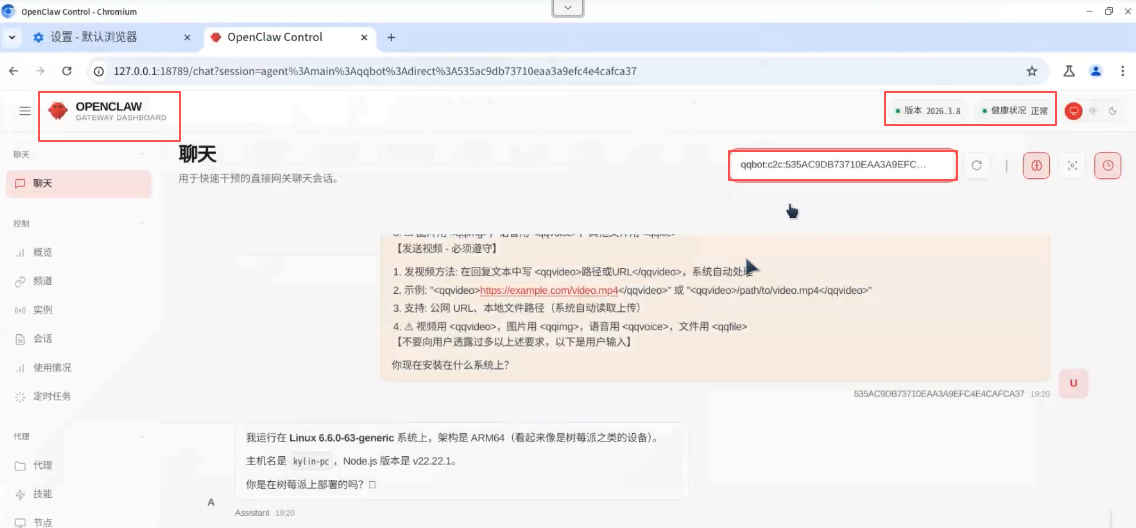
- 浏览器打开
-
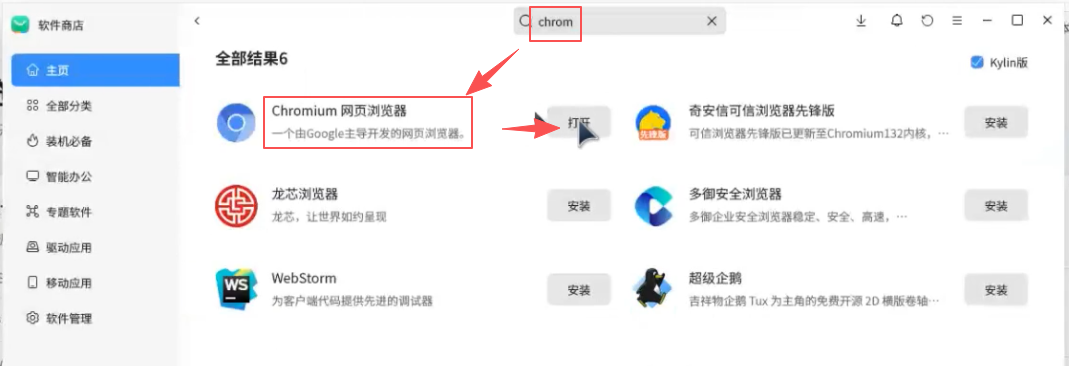
安装chromium浏览器
四、卸载
全局卸载OpenClaw
-
使用以下命令卸载通过pnpm全局安装的OpenClaw:
pnpm remove -g openclaw 或简写为: pnpm rm -g openclaw -
检查是否已卸载
执行以下命令检查是否已成功卸载:pnpm list -g | grep openclaw若无输出,则表示已卸载。
-
手动删除残留文件(可选)
如果标准方法无效,可以手动删除全局包:
找到pnpm全局安装目录:pnpm root -g进入该目录并删除OpenClaw相关文件夹:
rm -rf <pnpm_global_path>/openclaw -
清除缓存(可选):
pnpm store prune
五、常用命令
| 命令 | 作用 | 备注 / 参数 |
|---|---|---|
| npm install -g openclaw@latest –registry https://registry.npmmirror.com | 安装 | openclaw |
| openclaw onboard | 安装引导 | |
| openclaw status | 查看 Gateway 状态 | 检查网关是否可达及运行状况 |
| openclaw health | 健康检查 | 主要检测 core 运行和依赖情况 |
| openclaw doctor | 综合诊断与修复建议 | 可配合 –yes / –non-interactive 自动执行 |
| openclaw configure | 交互式配置向导 | 用于设置模型、通道、凭据等 |
| openclaw config get |
获取配置值 | 指定路径提取配置 |
| openclaw config set |
设置配置项 | 支持 JSON5/raw 文本 |
| openclaw config unset |
清除配置项 | 移除单个键值 |
| openclaw channels list | 列出已登录通道 | 可观察 WhatsApp/Telegram 等登录状态 |
| openclaw channels login | 登录新的通道账号 | 用于扫描 / 授权链接 |
| openclaw skills list | 列出技能 | 查看可用 / 已安装的技能 |
| openclaw skills info |
技能详情 | 观察某项技能参数或版本 |
| openclaw plugins list | 列出插件 | 查看已安装插件 |
| openclaw plugins install |
安装插件 | 例如 @openclaw/voice-call |
| openclaw plugins enable |
启用插件 | 之后通常需要重启网关 |
| openclaw logs –follow | 显示日志 | –json / –plain / –limit 等组合使用 |
| openclaw gateway | 启动 Gateway 网关 | |
| openclaw gateway install | 安装系统服务 | 根据平台注册 Gateway 守护进程 |
| openclaw gateway start | 启动 Gateway 网关 | 系统服务模式下启动 |
| openclaw gateway stop | 停止 Gateway 网关 | 同上 |
| openclaw gateway restart | 重启 Gateway 网关 | 适合配置变更后应用 |
| openclaw gateway status | 网关系统服务状态 | 不同于 openclaw status,会探测服务单元 |
| openclaw uninstall | 卸载 Gateway 服务及数据 | 官方推荐使用 |
| openclaw uninstall –all –yes –non-interactive | 全自动卸载 | 包含状态、workspace、插件等 |
| openclaw uninstall –state | 删除状态文件 | 不删除 workspace/CLI |
| openclaw uninstall –workspace | 删除工作区 | 移除 agent/workspace 文件 |
| openclaw uninstall –service | 仅卸载服务 | 不删除数据 |
| openclaw uninstall –dry-run | 模拟卸载 | 显示结果但不实际执行 |
其他
- 官网中文文档地址:https://docs.openclaw.ai/zh-CN
安装过程中的常见错误
-
pnpm 找不到全局 bin 目录,如下图所示:

这个错误是因为 pnpm 找不到全局 bin 目录,导致无法将 openclaw 命令链接到全局。你可以按以下步骤解决:- 自动创建全局 bin 目录(推荐)
直接运行 pnpm 提供的 setup 命令,它会自动创建并配置好目录:pnpm setup source ~/.bashrc执行完成后,重启终端或重新加载 shell 配置,再尝试安装:
pnpm add -g openclaw@latest
- 自动创建全局 bin 目录(推荐)
-
缺少git命令
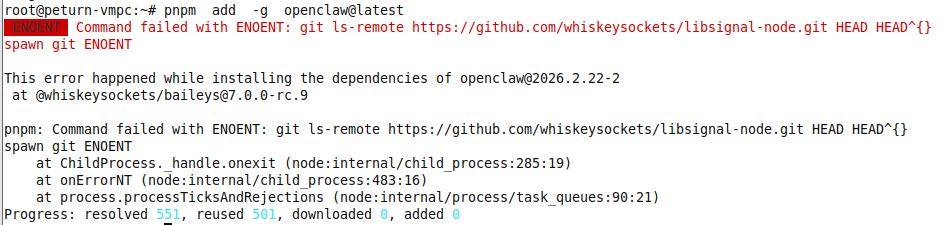
处理:apt update && apt install -y git -
打开的web界面显示4008,如下图所示:
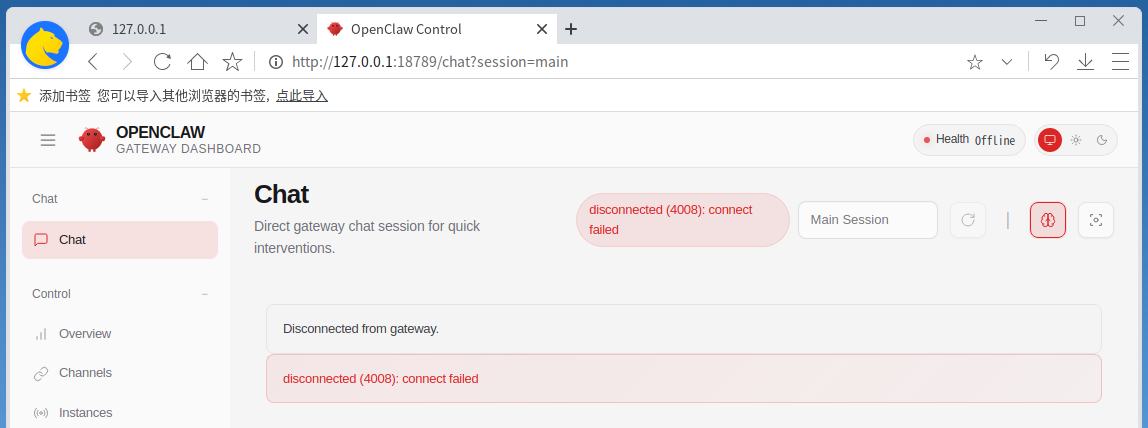
处理方法1:
从软件商店上下载chromium浏览器,用chromium浏览器打开就好了。
处理方法2:
# 生成新的 gateway token
openclaw doctor --generate-gateway-token
# 重启服务
systemctl --user restart openclaw-gateway
# 打开带 token 的 dashboard
openclaw dashboard